Edit text in a screenshot

Edit Text in a Screenshot Without Recreating It

Upload a screenshot and describe the text you want to change. PhotoTextFix uses AI to redraw the selected text while aiming to preserve the original interface, typography and layout.

▣ JPG, PNG, WebP · HEIC supported✦ 1 free edit · no card needed⌁ Your images are private
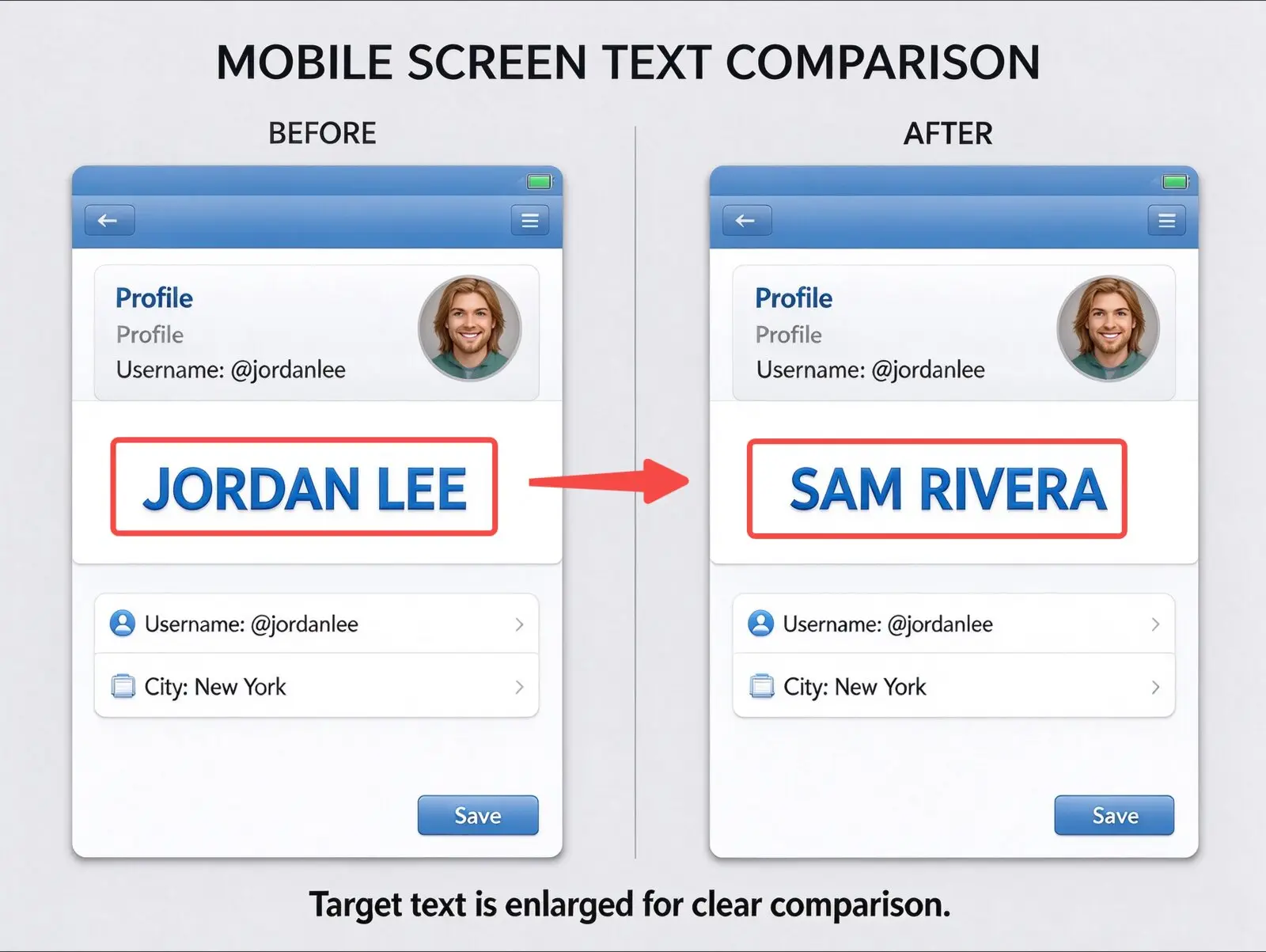
Phone screenshot before and after the name JORDAN LEE was changed to SAM RIVERA
In this example, the name was changed while the surrounding interface remained visually consistent.

How it works

1

Upload the screenshot

PNG, JPG, WebP or HEIC. Phone captures and full-window desktop grabs work as they are.
2

Describe the text change

“change JORDAN LEE to SAM RIVERA”, or name several lines in the same request.

3

Download the edited screen

The text is redrawn in place with matching weight and colour, while the surrounding interface is kept visually consistent.

Where this works well

  • Software and app UI screenshots where a label, price or button text needs correcting.
  • Tutorial and documentation screenshots with an outdated name, version or step number.
  • Product mockups using placeholder names, dates or specs.
  • Dates, status badges and notification text inside a capture.
  • Before/after demos where preserving the surrounding layout is important.

Where it may fall short

  • Dense interfaces with blurred text or heavy JPEG artifacts may not rebuild cleanly — check at 100%.
  • Text smaller than about 12 px often turns soft after a redraw.
  • Custom brand fonts and pixel fonts are matched approximately, not copied exactly.
  • Screenshots of IDs, tickets, invoices, certificates or any capture used as proof are blocked before an Edit is used.

The full list is on Capabilities & Limits.

Questions people ask

Will the layout or fonts change?

PhotoTextFix aims to preserve the original layout, background and surrounding interface. Font matching is approximate, and minor visual differences may occur depending on screenshot quality, font complexity and text size.

Can I edit more than one line?

Yes. List every change in one request. If the lines sit far apart, separate edits give a cleaner result.

Does the new text match the original font?

It matches common UI sans-serif faces closely. Very custom or pixel fonts come out as a close approximation.

Which files can I upload?

JPG, PNG and WebP up to 10 MB. HEIC from iPhone is converted in your browser before upload. Each task keeps its own history.

More questions are answered in the FAQ, and pricing details are on the pricing page.

Ready to fix the text in that screenshot?

One free edit, no card. Upload the capture and describe the change in plain words.