

Remove text from any image
Got a photo with a caption, price tag or old label you want gone? Upload it, point at the words, and the model rebuilds the background underneath — no healing brush needed.
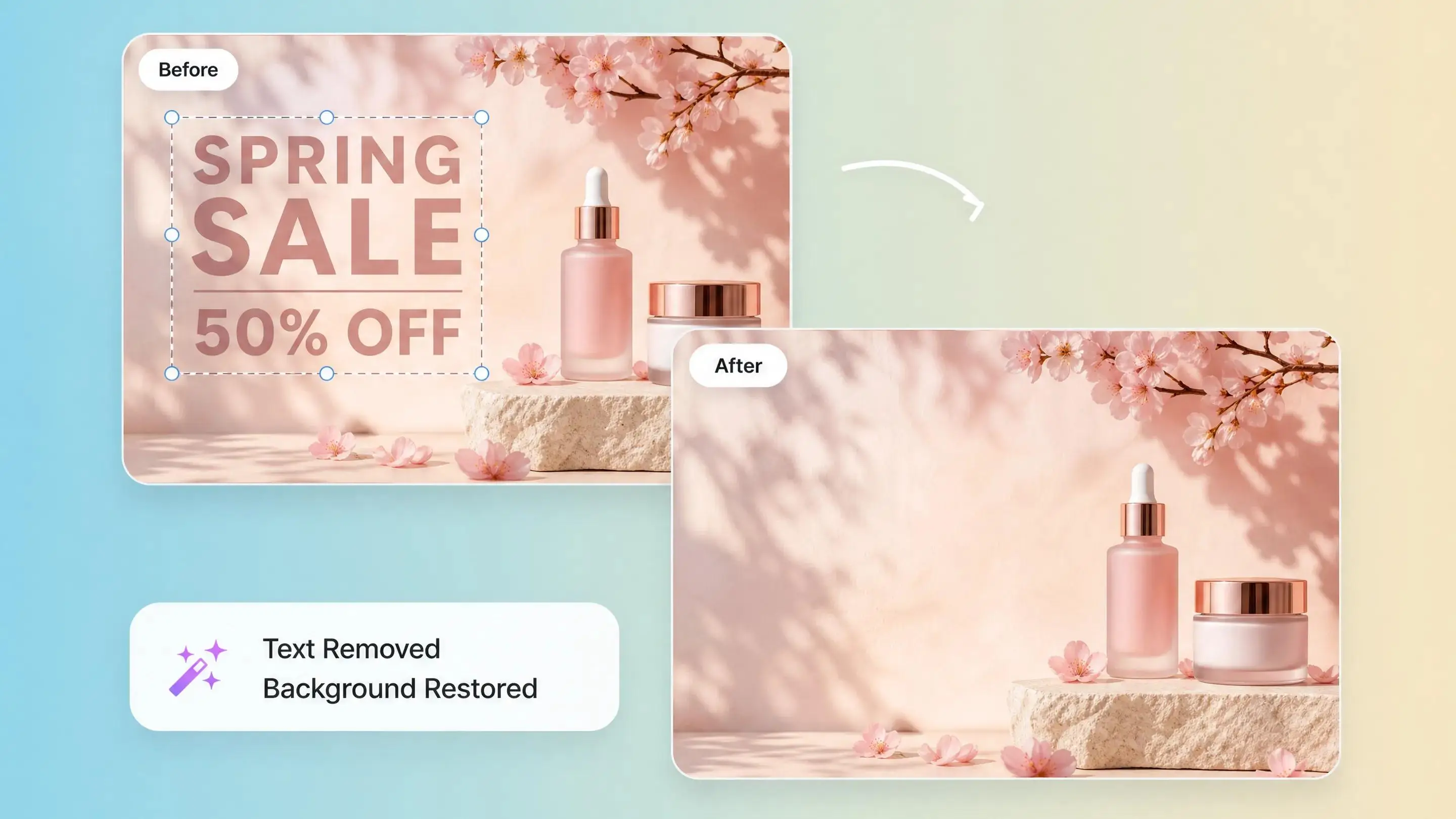
How it works
- 01
Upload the image with the text
JPG, PNG, WebP or HEIC from iPhone. Screenshots and exported photos both work — no original design file needed.
- 02
Describe what should disappear
Say which words to remove: “delete the caption at the bottom”. Mark an area when the image has several text blocks.
- 03
Download the clean image
The AI rebuilds the area behind the removed text using surrounding image details. Flat colours and simple gradients rebuild cleanest.
Where this works well
- Product and marketplace photos with an old price or promotional line.
- Screenshots where a caption, username or timestamp should be gone.
- Your own posters and flyers reused without the previous offer.
- Photos with text over walls, skies or other simple backgrounds.
Where it may fall short
- Text over complex textures, faces or fine patterns may leave a visible patch.
- Large blocks of dense text are harder than a short line or two.
- Watermarks or text you do not own must not be removed — this is checked at upload.
- This is removal, not photo restoration; damaged or blurry images stay that way.
The full list is on Capabilities & Limits.
Questions people ask
Can I remove a watermark from an image?
Only if you own both the image and the mark. Removing someone else’s watermark is blocked by our Acceptable Use Policy, and the request is rejected before an Edit is used.
What happens to the area behind the text?
The model repaints it from the surrounding pixels. Flat colours, gradients and simple textures rebuild well; busy patterns may show a small patch.
How much text can I remove at once?
A line or two per Edit works best. For several separate blocks, describe them one at a time so each area gets enough attention.
Does removing text reduce image quality?
No. The image keeps its original size and format; the AI rebuilds the area behind the removed text using surrounding image details. Minor visual differences may occur depending on image complexity, so check the result at 100% before exporting.
More questions are answered in the FAQ, and pricing details are on the pricing page.
Other images people edit
Replacing a price, changing a date or adding a new line works the same way: upload, describe, download.